Introduction
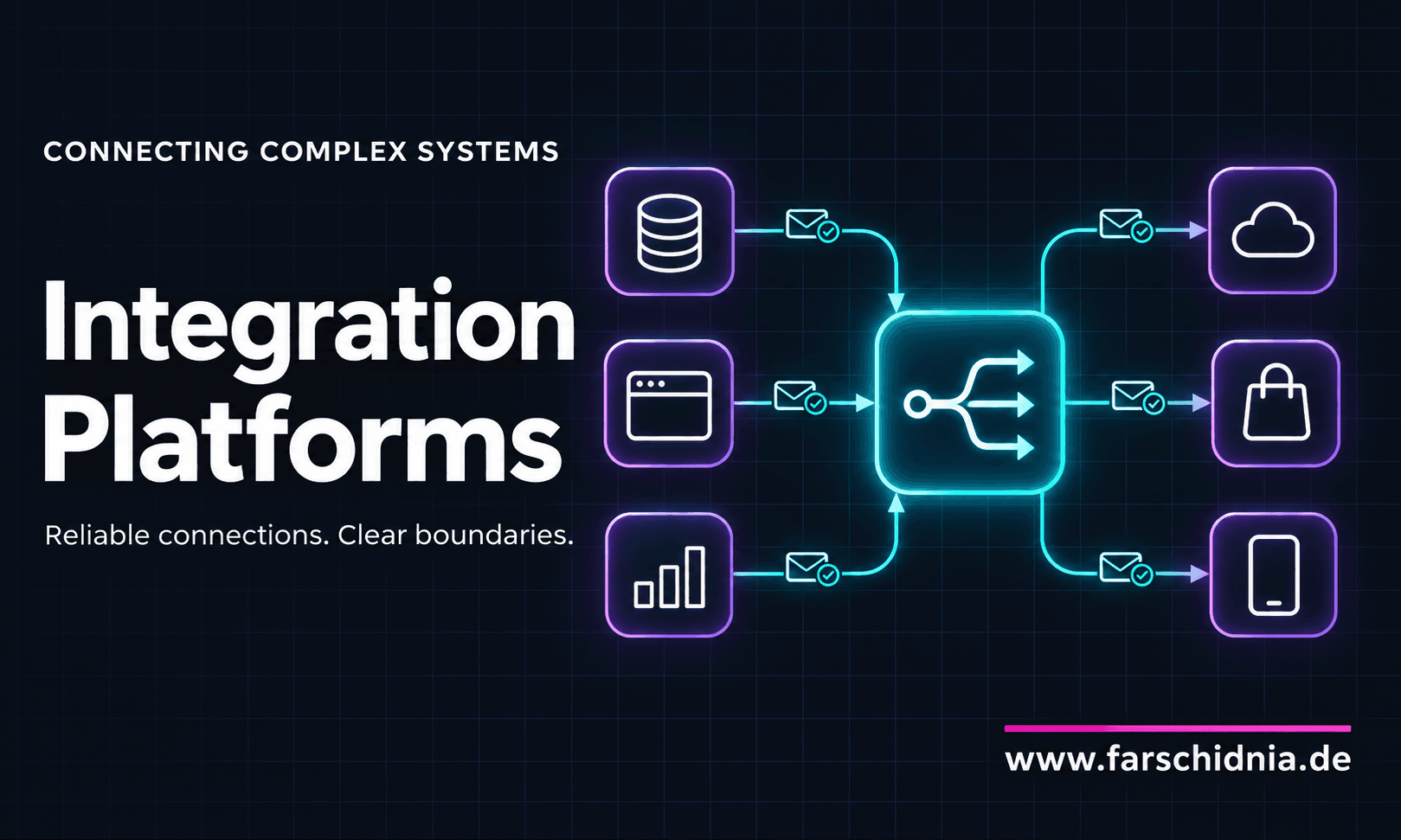
A well-designed integration platform helps independent applications work together while keeping their responsibilities clear.
Modern software rarely operates alone. An online store depends on payment services, inventory management, shipping providers, customer records, and accounting software. A hospital connects scheduling, laboratory systems, patient records, and billing. A manufacturer coordinates production equipment, warehouses, suppliers, and business applications.
Each system serves a specific purpose. The challenge is making them cooperate reliably.
Integration platforms provide a structured way to manage that cooperation. They help applications exchange information, translate data, coordinate workflows, and recover when communication fails.
Why Connecting Systems Becomes Difficult
Connecting two applications can appear straightforward. One application sends a request, and another returns a response.
As the environment grows, each connection introduces additional decisions. Applications use different data formats, authentication methods, communication protocols, and release schedules. They may also interpret the same information differently.
A customer identifier in one system may represent an individual, while another system uses it for an entire organization. One application records prices in decimal currency units; another expects integer amounts in the smallest currency unit.
These differences require explicit handling. Otherwise, a technically successful exchange can still produce an incorrect business result.
Direct connections also create maintenance work. When one application changes its interface, several consumers may need updates. Over time, important business processes can become distributed across scripts, scheduled jobs, and application code that few people fully understand.
What an Integration Platform Does
An integration platform provides shared capabilities for connecting systems and managing the movement of information between them.
Depending on its design, it may support APIs, message queues, events, file transfers, scheduled synchronization, and workflow coordination. It may run as a managed service, within an organization’s infrastructure, or across several environments.
Its common responsibilities include receiving information, checking its structure, transforming it, selecting a destination, and tracking the result.
An API gateway, message broker, and workflow engine can each contribute to this architecture, but they solve different problems. A gateway controls access to APIs. A broker transports messages between producers and consumers. A workflow engine tracks a process across multiple steps. An integration platform may combine these capabilities or work alongside them.
A Practical Example: Processing an Order
Consider what happens after a customer places an order.
The store records the purchase. The payment service authorizes payment. The inventory system reserves stock. The warehouse prepares the package. The shipping provider creates a shipment. The accounting system records the financial transaction.
These steps involve different systems with different availability and response times.
An integration platform can receive an order event, validate the information, and deliver the relevant data to each destination. It can transform the order into the format required by the warehouse and send accounting only the fields it needs.
If the shipping service is temporarily unavailable, the integration can retain the pending work and attempt delivery later, where the workflow permits it. Operators can inspect the failure without searching through every application independently.
The platform does not automatically decide the business rules. The organization must still define when payment is captured, what happens if stock is unavailable, and how a failed order is resolved. The platform provides mechanisms for carrying out and observing those decisions.
Reducing Dependencies Between Applications
One of the main benefits of integration architecture is reducing how much applications need to know about one another.
An order service can publish an “Order Confirmed” event without containing the internal logic of the warehouse, reporting system, and notification service. Each consumer handles its own responsibility.
This separation can make changes easier. A new reporting application may consume an existing event without requiring the order service to implement another custom connection.
The separation is never complete. Systems still depend on shared contracts: field meanings, required information, event definitions, and compatibility expectations. Good integration design makes those dependencies explicit and manageable.
Managing Data Differences
Applications often represent the same business concept in different ways.
An integration platform can translate field names, convert units, map identifiers, and restructure messages. It can also validate required values and route invalid records for investigation.
However, transformation requires business understanding. Renaming a field cannot resolve uncertainty about what that field means.
For example, “available stock” might mean physical inventory in one system and inventory remaining after reservations in another. An accurate integration must account for that distinction.
Clear ownership is equally important. Teams should know which system is authoritative for customer addresses, product prices, stock levels, and other shared information. Otherwise, synchronization can spread conflicting data.
Handling Failure Deliberately
Failures are a normal part of distributed software. Networks become unavailable, credentials expire, services slow down, and applications restart.
Integration platforms can provide consistent mechanisms for handling these conditions. Durable messaging can retain work during a temporary outage. Controlled retries can recover from transient failures. Repeatedly failing messages can be isolated for investigation.
These mechanisms need careful design.
A timeout does not necessarily mean an operation failed. The receiving service may have completed the request before its response was lost. Retrying could then create a duplicate invoice, shipment, or notification.
For this reason, integrations often use idempotency: processing the same logical request more than once should not repeat its business effect.
Retries also need limits and delays. Aggressive retries can overload an already struggling service. Reliable integration combines delivery mechanisms with clear rules for duplicates, ordering, timeouts, and recovery.
Making Business Processes Visible
A business process can fail across several applications without producing an obvious error in any single interface.
An order may exist in the store but never reach the warehouse. A customer update may reach one application while another rejects it.
An integration platform can improve visibility by recording processing states, delivery attempts, errors, and relevant timing information. Correlation identifiers help connect related operations across system boundaries.
This supports more useful operational questions: Which orders are waiting? Which destination is failing? How long is synchronization taking? Does a message need correction before it can be processed again?
Visibility must also respect data sensitivity. Logs should contain enough information to diagnose problems without unnecessarily exposing personal information, credentials, or confidential business data.
Supporting Gradual Modernization
Organizations often need to replace older software while keeping essential operations running.
An integration layer can translate between an established interface and a newer service. This allows parts of the environment to change incrementally.
For example, a legacy application may continue sending files while newer services use APIs or events. The integration layer can bridge these communication styles during the transition.
Such arrangements should have clear ownership and a maintenance plan. Temporary compatibility logic can become permanent infrastructure if nobody tracks why it exists or when it can be removed.
Keeping the Platform Manageable
An integration platform introduces its own dependencies, operating costs, and failure modes.
If every operation must pass through one poorly designed runtime, that runtime can become a bottleneck. If business logic accumulates in large shared workflows, teams may struggle to change their applications independently.
A centralized management interface does not require all processing to run in one place. Execution can be distributed where availability, scale, and organizational boundaries require it.
The platform itself needs appropriate capacity, access controls, monitoring, deployment practices, and recovery procedures. Shared infrastructure deserves the same engineering discipline as the applications it connects.
When an Integration Platform Is Worthwhile
An integration platform becomes useful when an organization repeatedly needs capabilities such as data transformation, reliable delivery, workflow tracking, access management, and operational visibility across many systems.
A small application with a few simple connections may be easier to maintain through direct API calls and a modest messaging setup.
The decision should follow the actual integration problems. Useful questions include how frequently interfaces change, how failures are recovered, how many teams maintain connections, and whether important workflows can be traced.
The platform earns its place when shared capabilities reduce duplicated work and make the overall system easier to operate.
Building Reliable Cooperation
Complex software systems depend on clear agreements between independent applications.
Integration platforms help put those agreements into operation. They provide consistent ways to exchange information, translate differences, coordinate work, and investigate failures.
Their effectiveness depends on sound design: explicit contracts, clear data ownership, controlled recovery, and visible responsibilities. With those foundations, an integration platform becomes a practical part of the architecture that allows a growing software environment to remain understandable and adaptable.